
 Sizemint
Size chart & Fit Finder for WooCommerce
Help your WooCommerce shoppers find their size.
Sizemint gives your store a clear product size chart and Fit Finder. Shoppers can enter their measurements and get a size recommendation when the information supports one.
Get Sizemint freeFree plugin from WordPress.org. Requires WooCommerce.
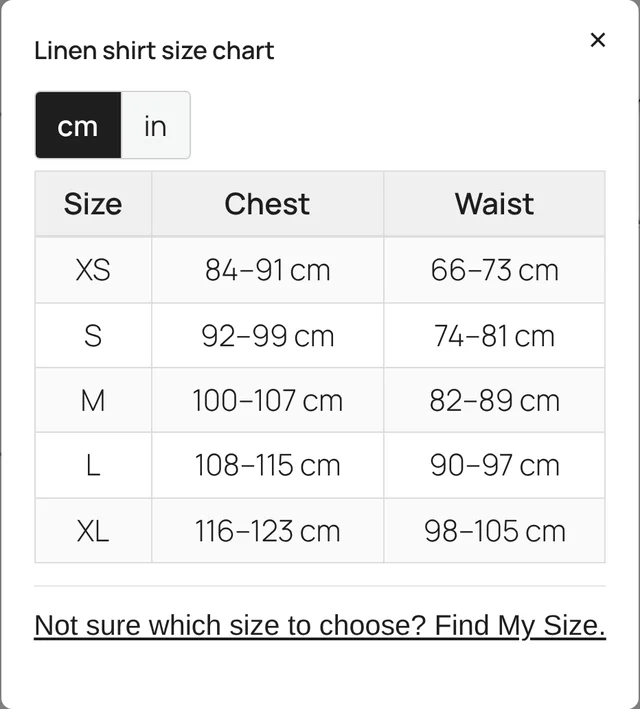
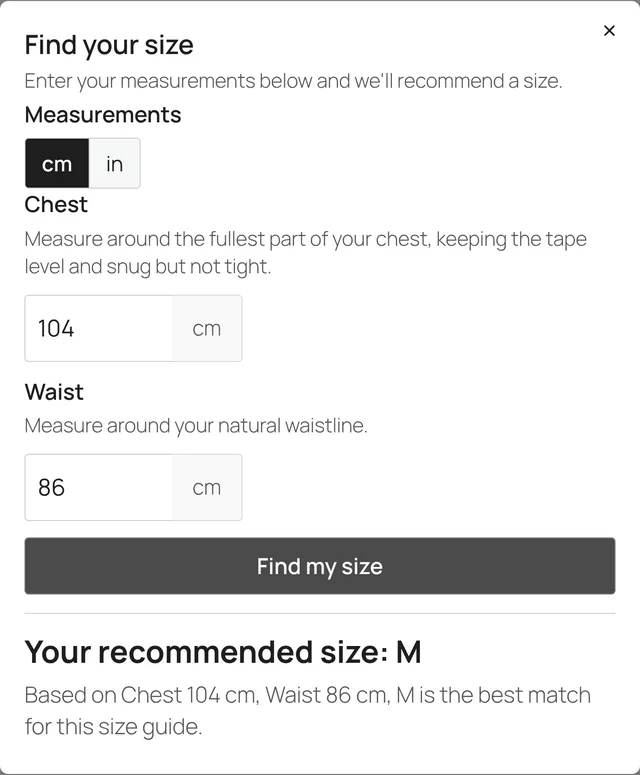
What it does
Sizemint is built to do one job on your product pages: help shoppers pick a size.
-
Clean size charts
Create clean size charts with a simple editor.
-
Products or categories
Assign charts to individual products or product categories.
-
Find a size
Let shoppers find a size using the measurements relevant to each product.
-
Centimeters and inches
Support centimeters and inches.
-
Availability check
Check whether a recommended size is currently available for variable products.
See it in the plugin
Real screens from Sizemint 1.0.3, captured in a demo store.
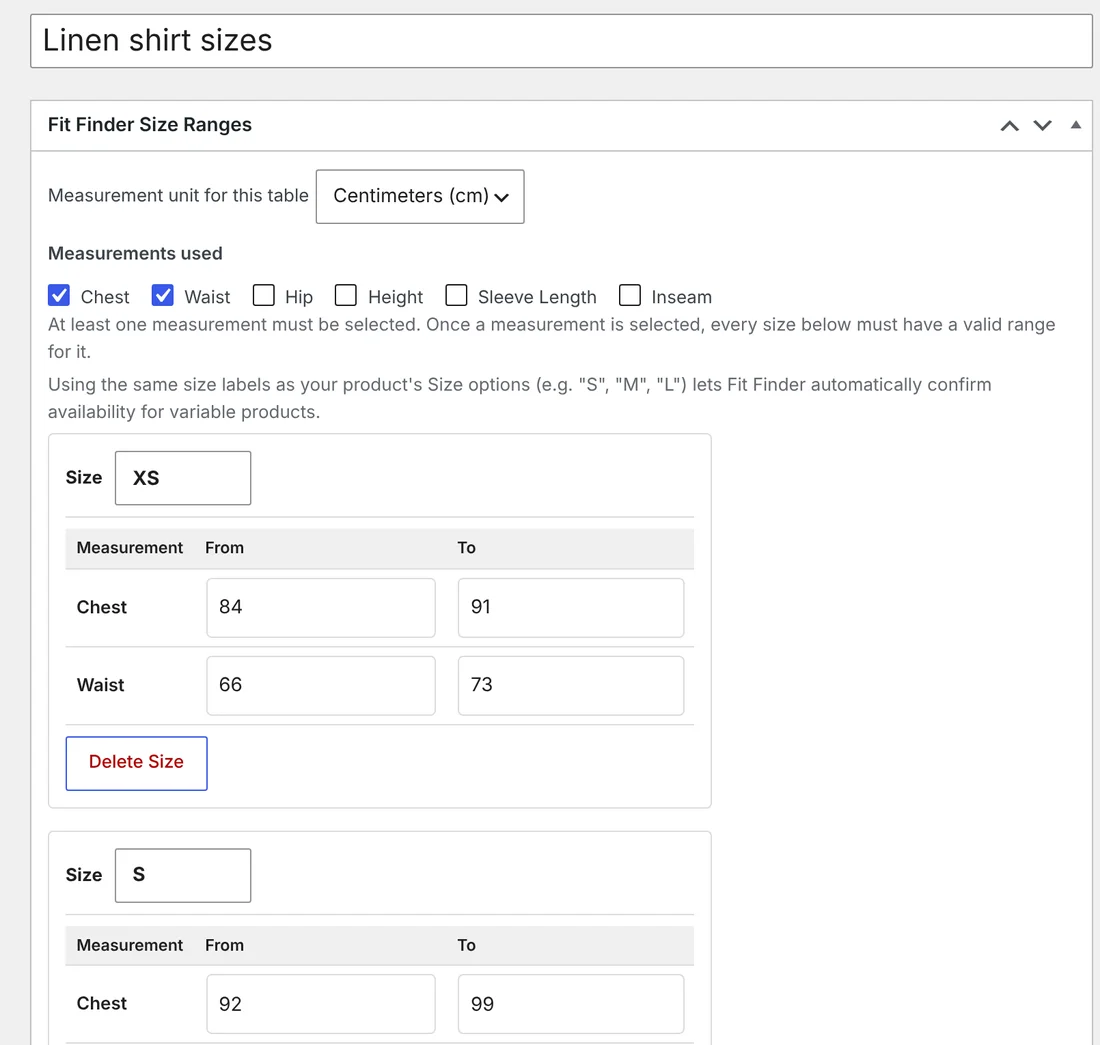
Screenshots show a sample product and sample size ranges.
How it works
Four steps from setup to a shopper's recommendation.
- Create a chart and enter your size ranges.
- Choose which measurements matter for each product.
- Add the chart or Fit Finder to the product page.
- Shoppers enter their measurements and receive a recommendation when there is a confident fit.
Questions
Is Sizemint free?
Yes. Its core features are free; there is no time-limited trial.
What does it need?
WordPress 6.0 or newer, PHP 7.4 or newer, and WooCommerce.
Where can I get it?
Install it from WordPress or download it from the WordPress.org plugin page.